Saiwenna Project Planning Resource
Motorized Shading Pre-Wire & Commissioning Checklist
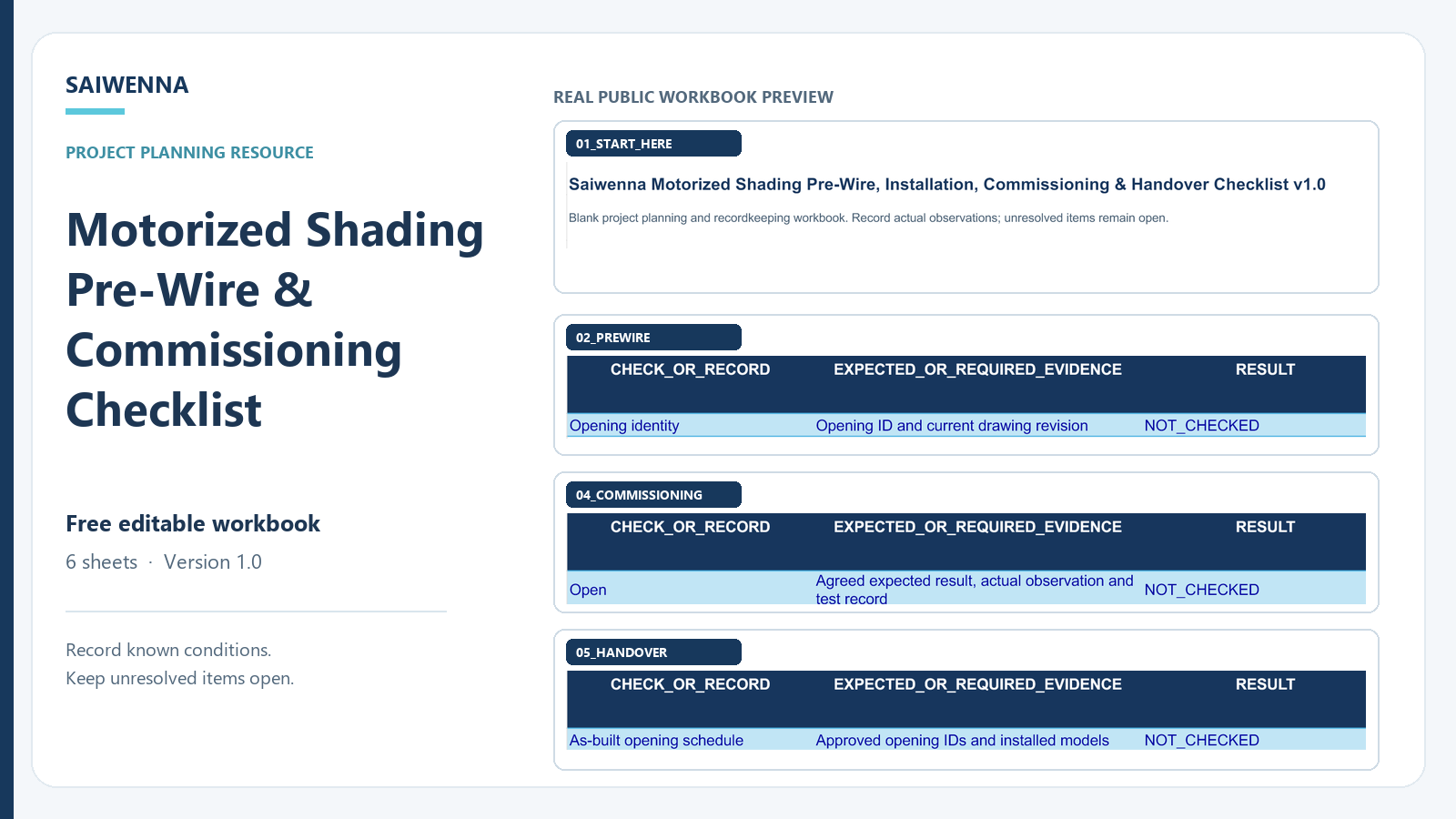
Coordinate pre-wire, installation, commissioning and handover records for motorized shading projects before site issues become field problems.
This free XLSX checklist gives architects, integrators, installers and project teams a structured way to record known conditions, responsibilities, evidence and unresolved items. It is a planning and recordkeeping tool; it does not approve electrical design, product selection or system compatibility.
Version 1.0 · Updated September 2026
Free editable workbook · 6 sheets · Version 1.0
Who the Checklist Is For
Architects & Designers
Record opening references, drawings, site conditions and responsibilities for review.
AV & Smart-Building Integrators
Keep requested control paths, interface questions and named review owners visible.
Contractors & Installers
Track pre-wire, power location, drive side, installation and open field items.
Project & Commissioning Teams
Record actual checks, supporting documents and handover items when available.
What the Checklist Covers
- Pre-wire: opening identity, power and motor-side planning, access and responsibilities.
- Installation: delivered configuration, mounting, cable identity and observed conditions.
- Commissioning: expected results, actual open/close/limit observations, checked date and evidence reference.
- Handover: current schedules, manuals, as-built references, test records and custody.
- Open items: unresolved questions, required evidence and responsible roles.
How to Use It
- Record only known project conditions and identify the relevant opening or configuration.
- Assign the responsible role and note what document or observation is required.
- Keep unresolved items OPEN or NOT_CHECKED rather than guessing.
- Enter commissioning observations only after the actual check, with its date and evidence reference.
- Use the handover sheet to confirm which current records and documents are available.
What This Tool Does Not Prove
The checklist does not approve electrical or structural design, select a motor or controller, certify commissioning, confirm gateway or protocol compatibility, or replace project-specific engineering review. It does not certify KNX, BMS, RS485, dry-contact, Lutron or other third-party integration. A blank or selected field is not a test result.
Download the Checklist
Keep project-specific records in your own working copy. The downloadable file is blank.
Send Project Requirements for Review when your team is ready. Sending information does not guarantee a quotation, engineering approval, compatibility, lead time or project acceptance.
Related Saiwenna Resources
- Motorized Shading RFQ Input Workbook — organize inputs before a quotation review.
- Pre-Wire Before Wall Closure — review planning questions.
- Site Commissioning & Acceptance — plan actual checks and records.
- Handover Documentation Checklist — organize documents and custody.
- Motorized Shading Project Pack — find related planning resources.
- Motorized Shading Control Coordination — record interface questions and responsible reviewers.
Frequently Asked Questions
What stage of a project should use this checklist?
Use it from pre-wire coordination through installation, commissioning and handover. Record each result when the related work is actually checked.
Is this checklist a commissioning certificate?
No. It is a blank planning and recordkeeping tool. It does not certify commissioning or replace project-specific engineering and acceptance.
Should unresolved fields be guessed?
No. Keep unresolved fields OPEN or NOT_CHECKED and assign a responsible role.
Can the checklist confirm motor or control-system compatibility?
No. Exact motor, controller, gateway and protocol compatibility require project-specific documentation and review.
Can several identical openings share one record?
Only when their key conditions and selected configuration are truly the same. Otherwise use separate records.
What documents should be available at handover?
Use the handover sheet to list the current opening schedule, selected manuals, as-built drawings, commissioning record, open items and named custodian as applicable.